take the rhythm out, keep the sound
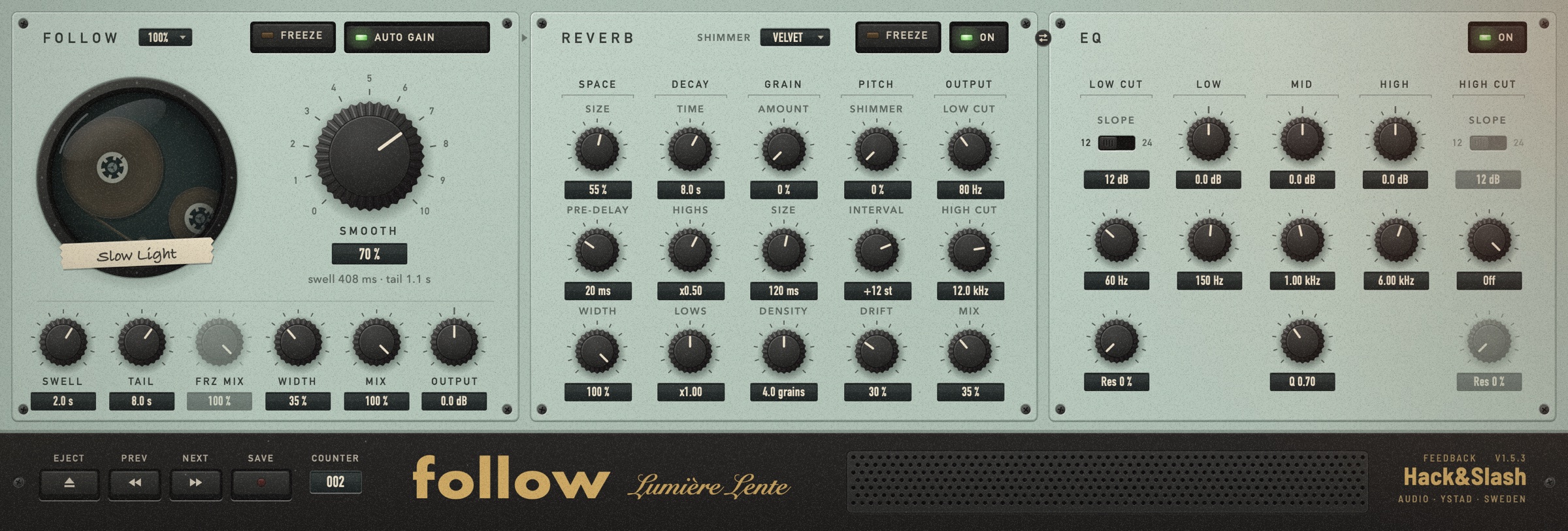
Put Follow on a piano, a guitar or a drum loop. Turn up Smooth, and the part becomes a slow, breathing bed made from the same notes.
Watch
Listen
Press Play, then switch Smooth while it runs. The trace shows the level: the higher the Smooth, the flatter the line.
Inside
One knob takes the rhythm out of a part. Notes swell in and ring on, like a held pad made from the sound itself.
Set how slowly the sound fades in and how long it rings on after the input stops.
Hold the current sound without an end. FRZ MIX blends it with the live input. It fades out when you let go.
Auto Gain adds back the level that smoothing takes away. Width spreads the sound and keeps the bass in the centre.
Low and high cut with resonance, low shelf, mid bell and high shelf on the smoothed sound.
A 16-line reverb with a grain cloud, shimmer, modulation and its own freeze.
12 tapes
Presets live on the tape. Load a factory tape, or save your own.
Download
Enter your email, and we send you a download link. The link always gives you the newest version. News from Hack&Slash only if you tick the box. No spam.
- Format
- Audio Unit (AU) effect
- System
- macOS 11 or later
- Processors
- Apple Silicon and Intel (universal)
- Security
- Signed with Developer ID and notarized by Apple